A slide cart that grows every order
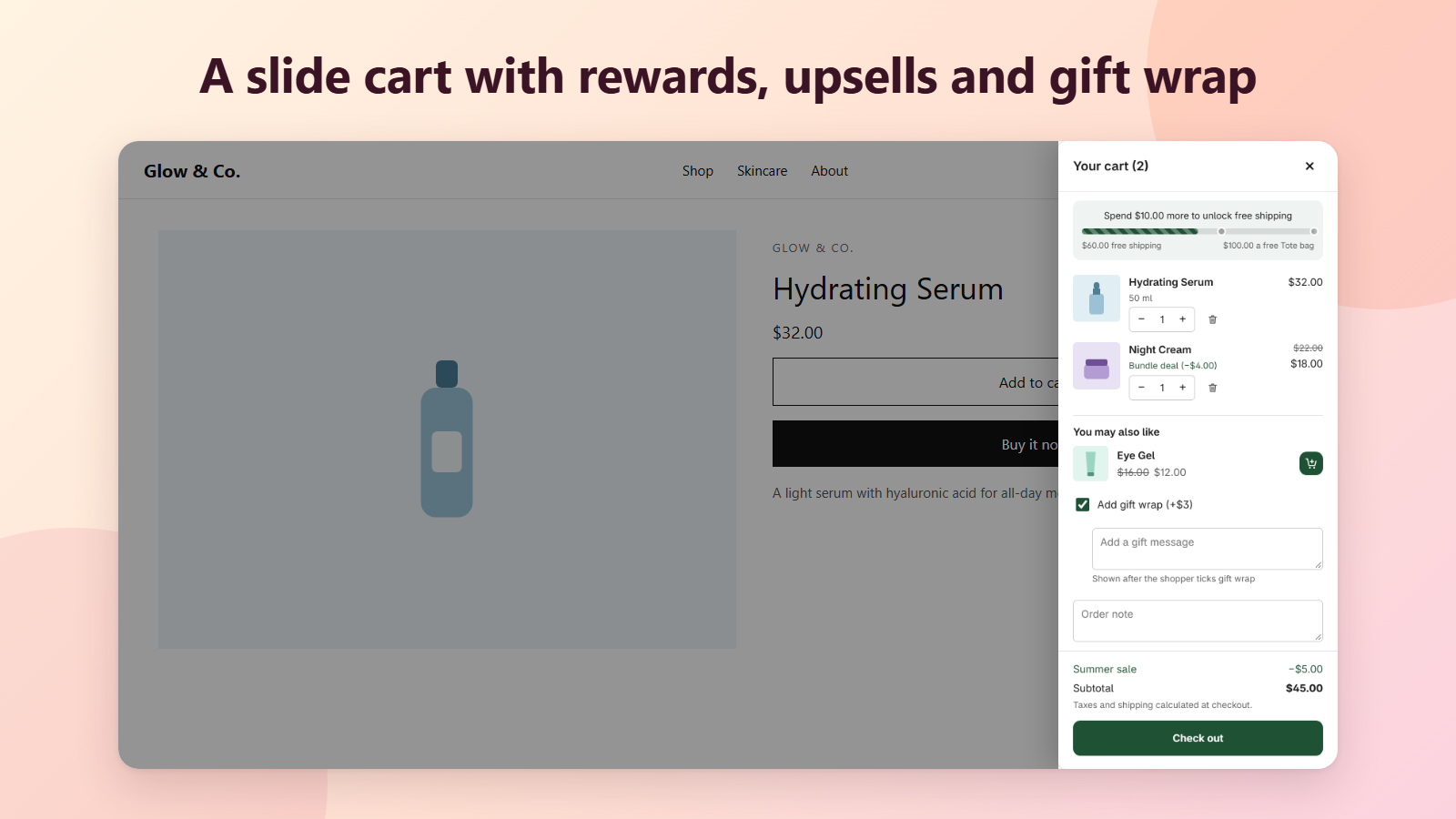
Drawerly opens a slide cart as soon as a shopper adds a product. A progress bar shows how close they are to free shipping, a discount or a free gift, suggested products go in with one tap, and gift wrap and a gift message are one tick away.
Everything a cart needs to sell more
Turn on the blocks you want, edit them with a live preview, and see what the cart added on your Home page.
Rewards progress bar
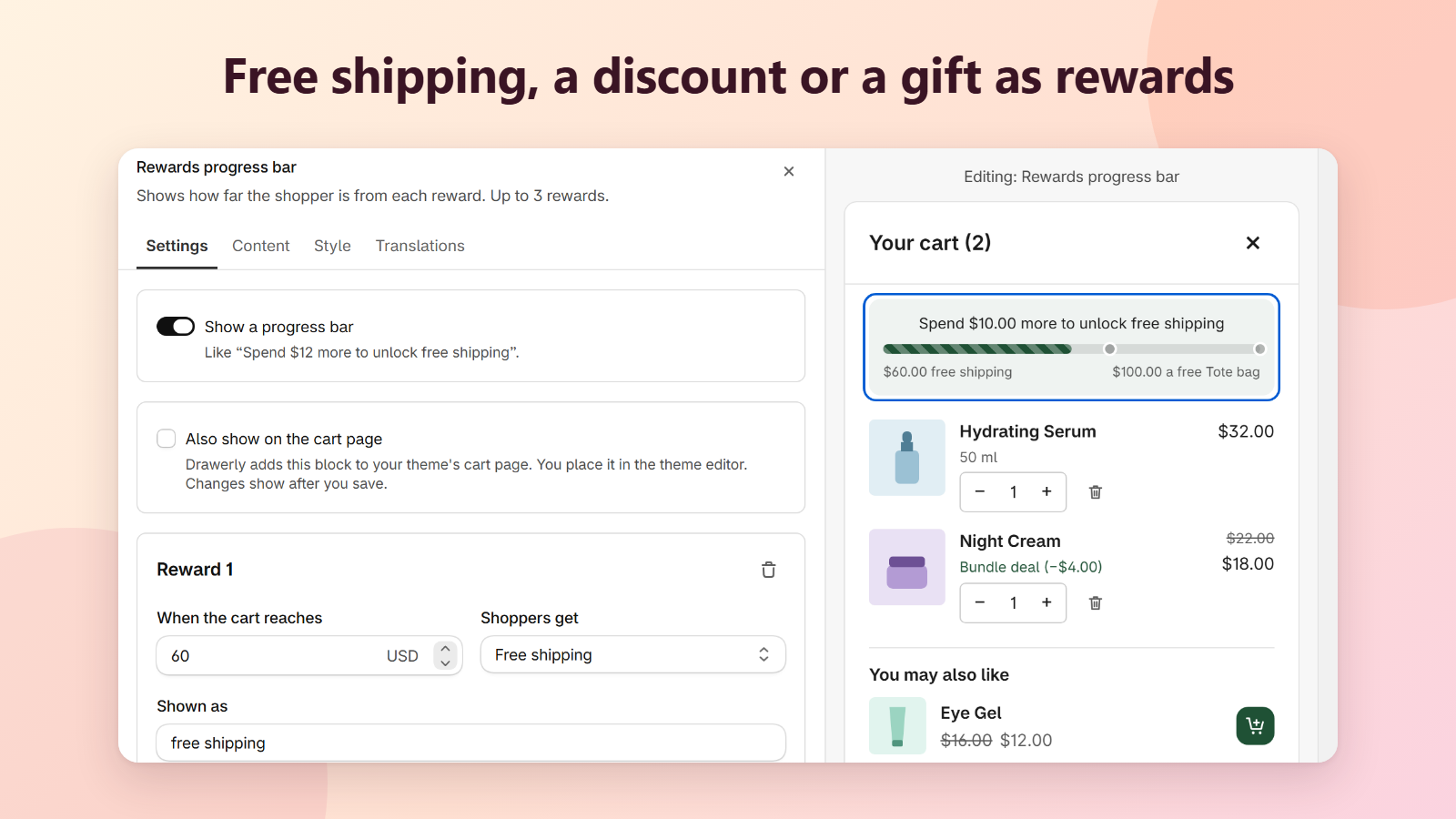
Up to 3 rewards, like “Spend $12 more to unlock free shipping”. Drawerly applies free shipping, a % or amount off the order, or a free gift at checkout with one automatic discount.
One-tap upsells
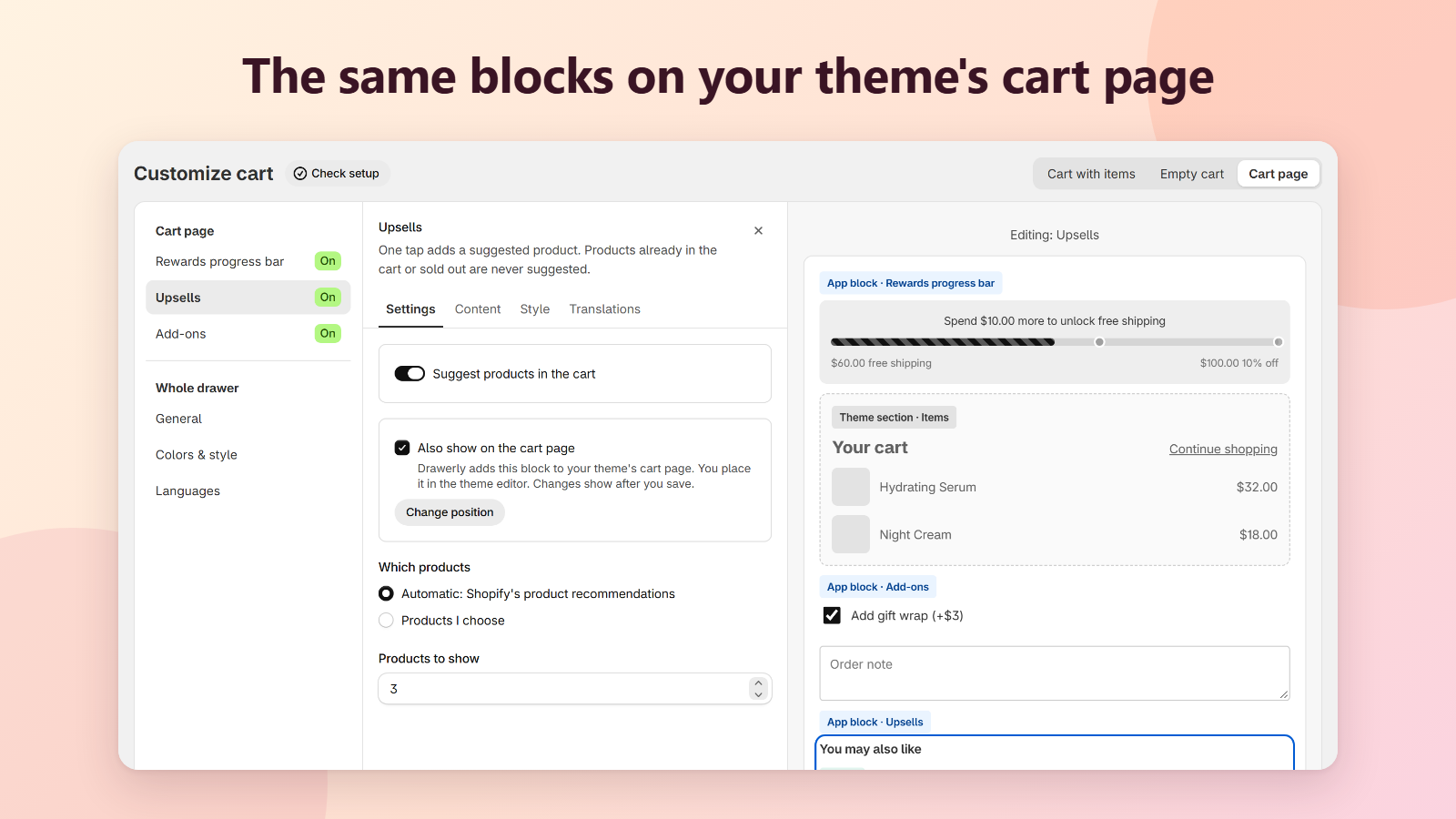
Suggest Shopify's product recommendations or products you choose. Products already in the cart or sold out are never suggested.
Gift wrap, gift message and order note
A checkbox adds your gift wrap product. The gift message is saved on the order, ready to print on a card, and the order note shows as the order's note.
An empty cart that isn't a dead end
Show your own image and message, products from a collection or ones you pick, and a Continue shopping link to wherever you want.
On the cart page too
Add the rewards bar, upsells and add-ons to your theme's cart page as app blocks, with their own spacing.
Your colors, your words
Set colors, corner radius and which side the cart opens from. Every text is built in for 9 languages, and you can write your own for any language.
Live preview and setup check
The preview is the real cart, drawn as shoppers see it. Check setup tells you what is missing, like the app embed or a sold-out gift.
Results on your Home page
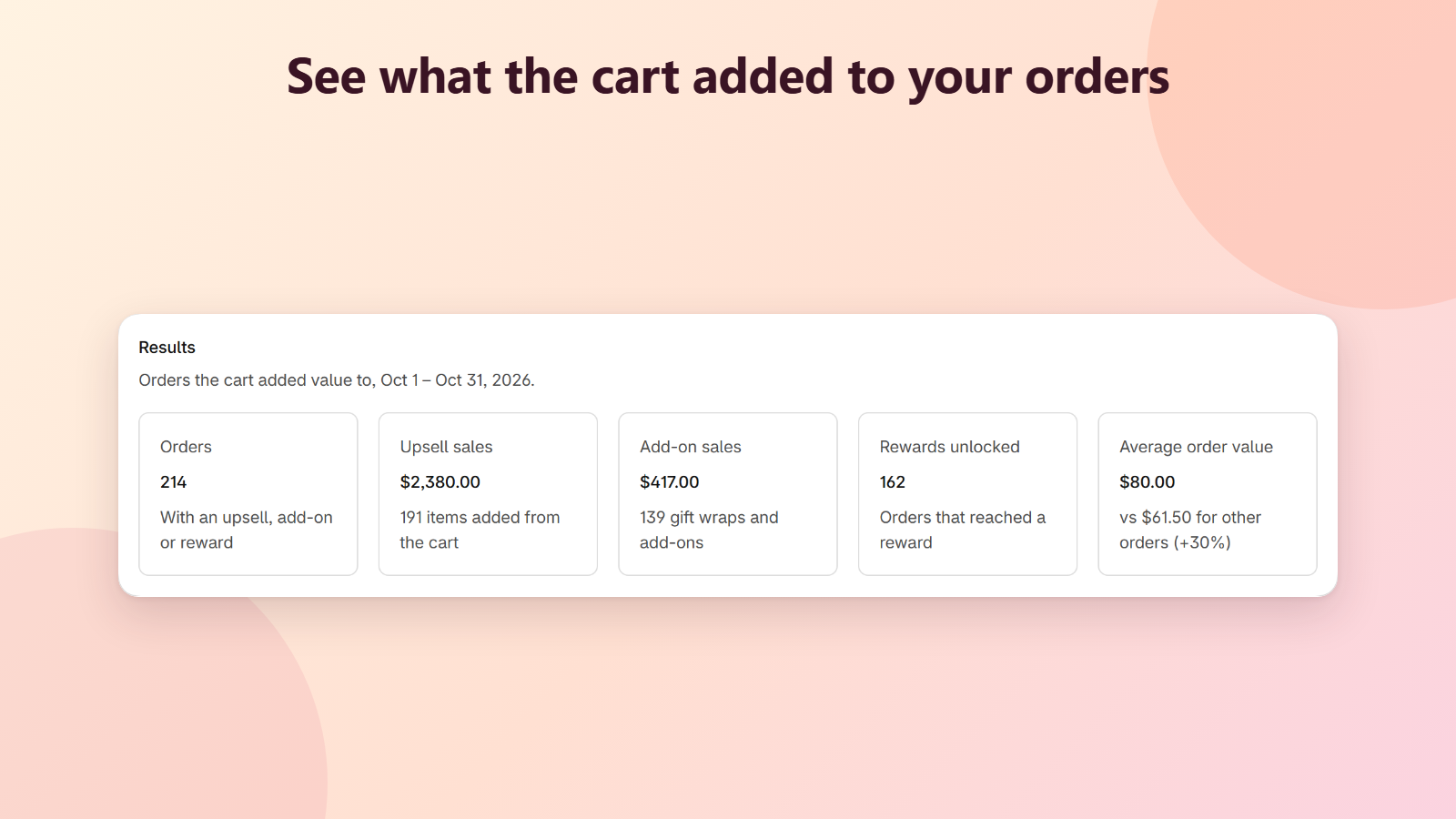
See how many orders the cart added value to, upsell and add-on sales, rewards unlocked and the average order value of those orders.
See it in action
Live in three steps
- 1
Install Drawerly
One click from the Shopify App Store. No credit card needed.
- 2
Customize your cart
Pick rewards, upsells and add-ons and set your colors, with a live preview.
- 3
Turn on the app embed
In the theme editor, turn on Drawerly slide cart and save. Done.
Free during launch
Every feature is free while Drawerly is in its launch period. No monthly fee, no credit card.
Questions
Does Drawerly work with my theme?
Drawerly is a theme app embed, so you turn it on in the theme editor without editing code. It opens in place of your theme's cart when a shopper adds a product. If something looks off on your theme, email us and we'll help.
How do the rewards work at checkout?
Drawerly creates one automatic discount, “Drawerly cart rewards”, in Discounts. It gives free shipping, a % or amount off the order, or the free gift once the cart reaches your amount. Choose “Bar only” if you prefer to set up the discount yourself.
What if a shopper removes the free gift?
The rewards bar shows an Add your free gift button, so they can add it back. If Shopify can't add the gift (for example it is sold out), the bar says why.
Can I turn it off quickly?
Yes. In Customize cart > General, turn off Use Drawerly as my cart. Your theme's cart comes back right away.
Which languages does the cart speak?
Its texts are built in for English, French, German, Spanish, Italian, Portuguese (Brazil), Dutch, Japanese and Vietnamese. Under Languages you can write your own texts for any language your store sells in.
Does Drawerly track my shoppers?
No. The cart does not set cookies and sends nothing about shoppers to our servers. It talks only to your store's Shopify cart.
How much does it cost?
Drawerly is free during launch, with every feature. We will tell you at least 30 days before any pricing starts.
More in the help center.